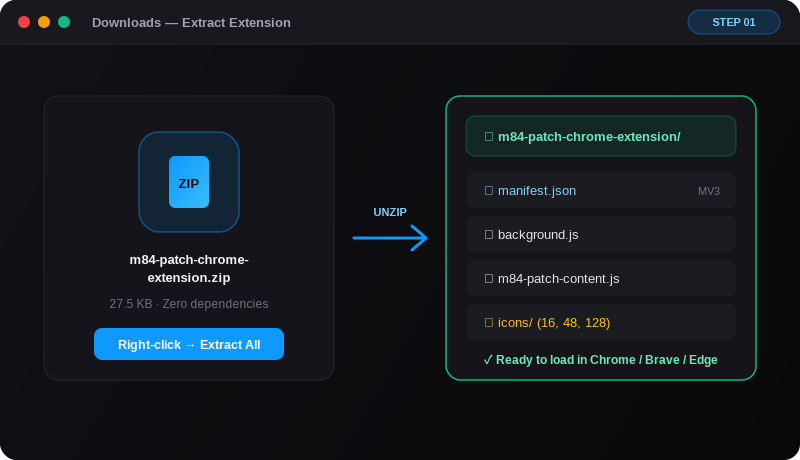
1
Download & unzip the extension
Click Download Chrome Extension (.zip) above and extract the folder containing manifest.json.
Built for Product Designers, UX/UI Designers & Vibecoders: tweak any localhost, live site, or HTML artifact visually and copy a clean # Visual UI Patch — compatible with all AI tools (ChatGPT / GPT, Claude, Antigravity, Cursor, Windsurf, Copilot, Gemini, v0, Bolt, Lovable…).
Designers think visually. M84 Patch captures your exact visual intent and turns it into a clean, design-system-ready prompt.
clip-path mask or DOM order before prompting.:root CSS tokens.localhost (Next.js, Vite, React) or live websites.:root CSS variables + solid & gradient token builder.# Visual UI Patch: zero inline styles, 8px grid, WCAG 2.1 AA, role unification.P or hold Space).Real screenshots captured on the live Playground. Click any image to zoom.
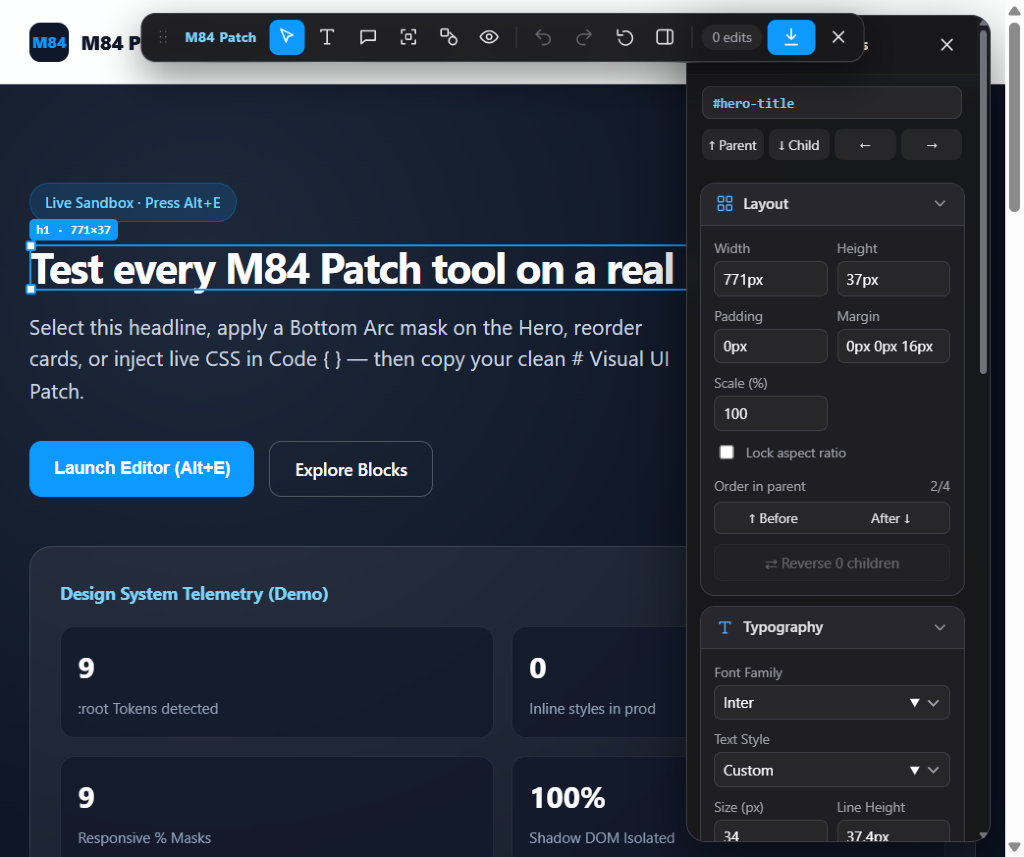
Launch M84 Patch with 1 click on the Chrome Extension or press Alt+E. Mounted inside a Shadow DOM so it never conflicts with Tailwind or your app CSS.
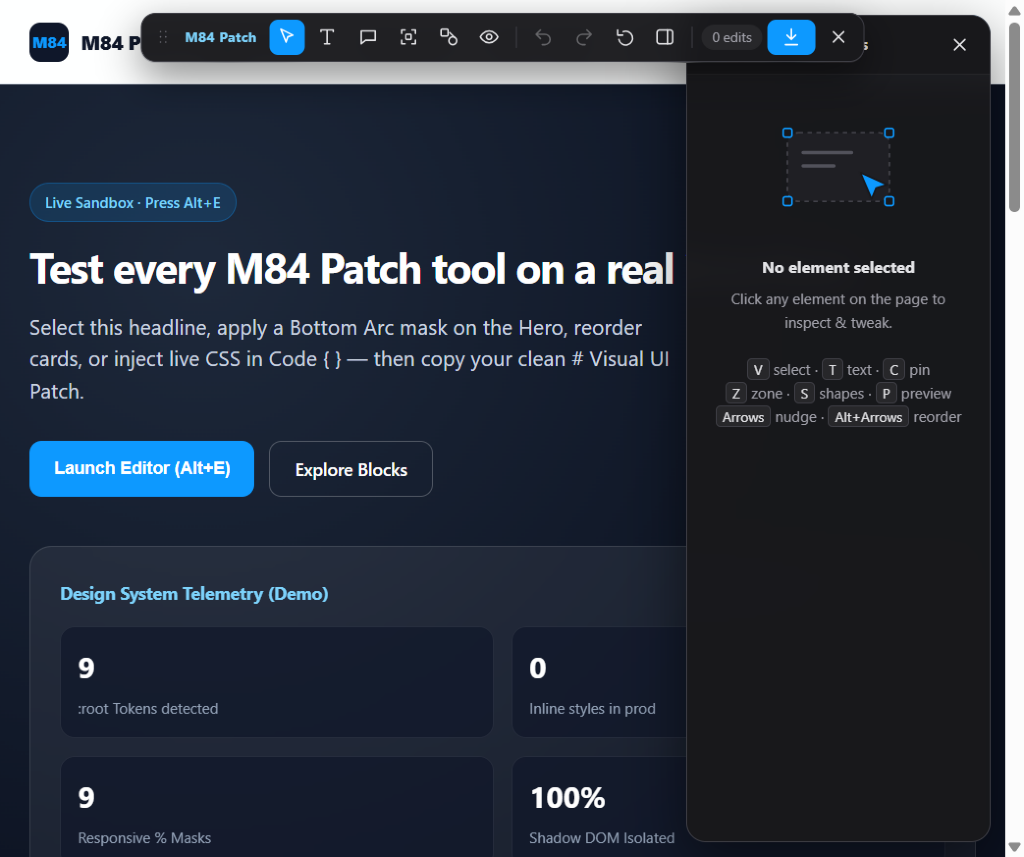
Click any element for its unique CSS selector, jump Parent/Child, drag-scrub numbers (Shift = ×10), reorder siblings, and pick directly from your :root color tokens.
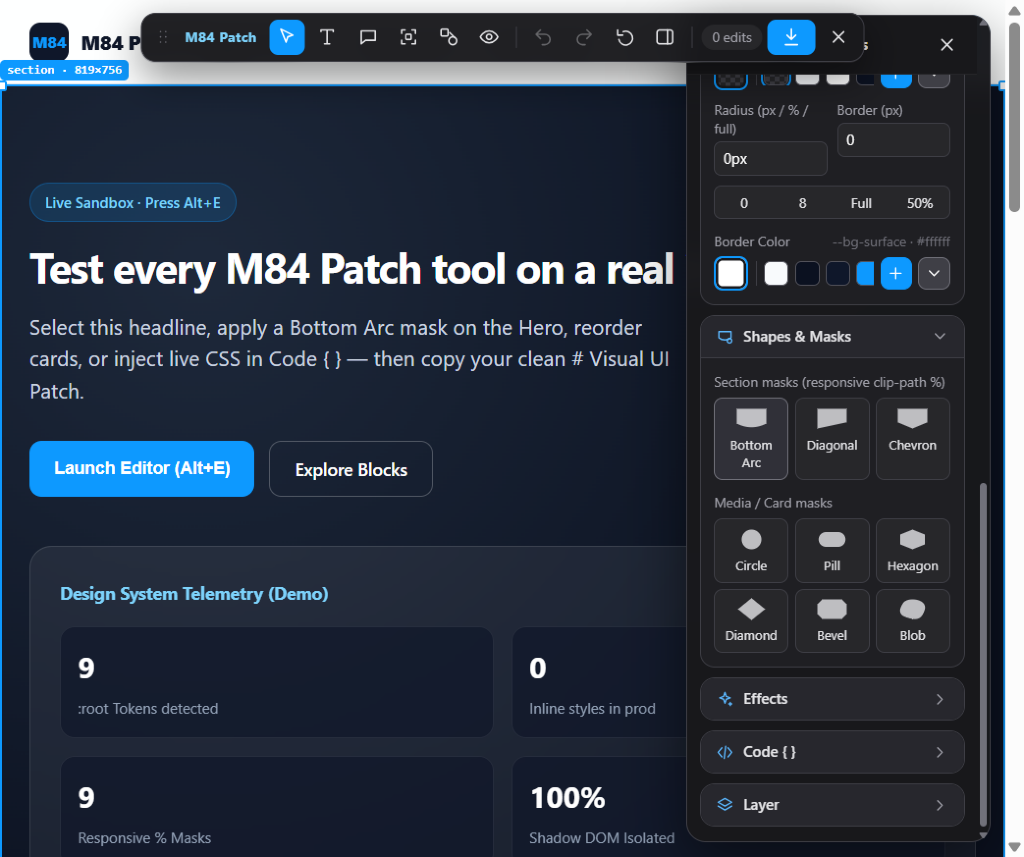
Apply 9 responsive % clip-path presets (Bottom Arc, Diagonal, Circle, Blob…), draw Guide / Real vector shapes (S), or test scoped live CSS in Code { }.
# Visual UI Patch to any AIAdd optional design intent, copy the structured diff (Styles, Copy, DOM Order, New Tokens, Shapes & Masks, Code Snippets, Notes) and paste it into ChatGPT (GPT), Claude, Antigravity, Cursor, Windsurf, Gemini, Copilot or any AI tool.
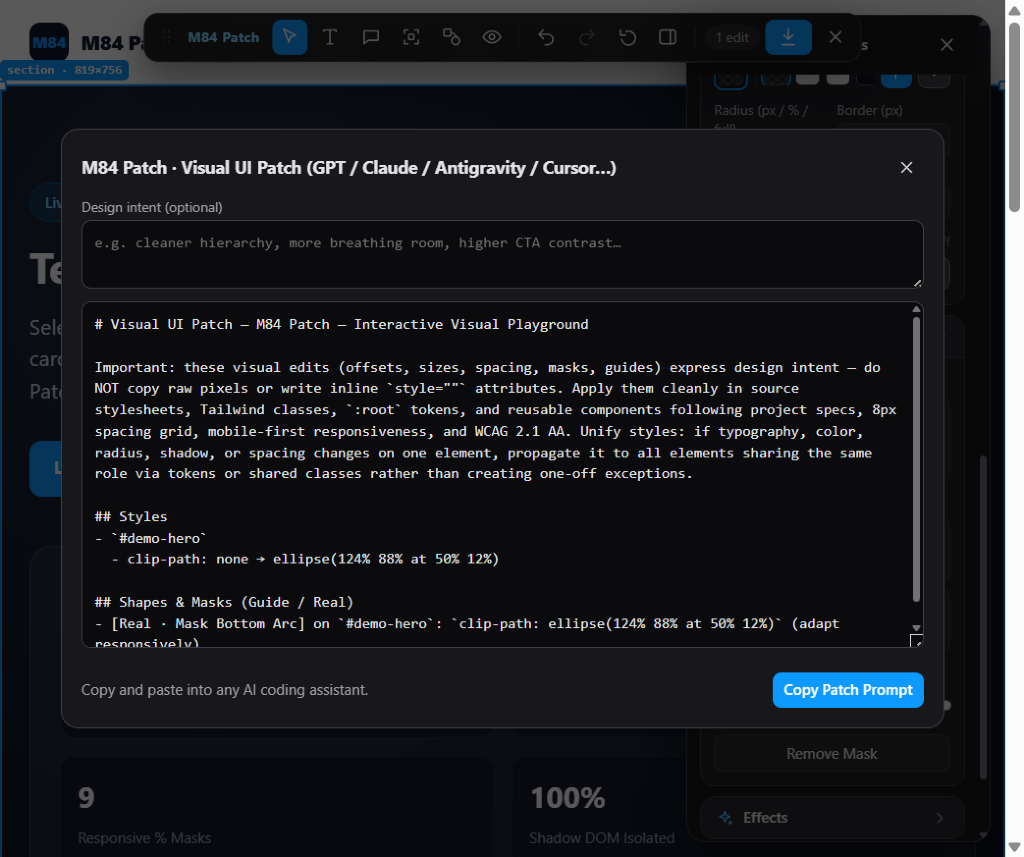
Total CSS isolation on Next.js, Vite, Tailwind, and live production sites. Zero style leaks.
Auto-detects your page CSS variables plus a custom solid & gradient token builder.
9 responsive % clip-path presets and drawn vector annotations with Guide / Real toggle.
Scoped live CSS preview + animation specs with prefers-reduced-motion (zero eval, MV3 & CSP safe).
Anchor notes to single elements or lasso-selected zones and paste reference images directly.
Compatible with ChatGPT (GPT), Claude, Antigravity, Cursor, Windsurf, Copilot, Gemini, v0, Bolt, Lovable & more.
The modular source code, Chrome MV3 extension, and AI Skill are all published under the MIT License for the Product & UX/UI community.
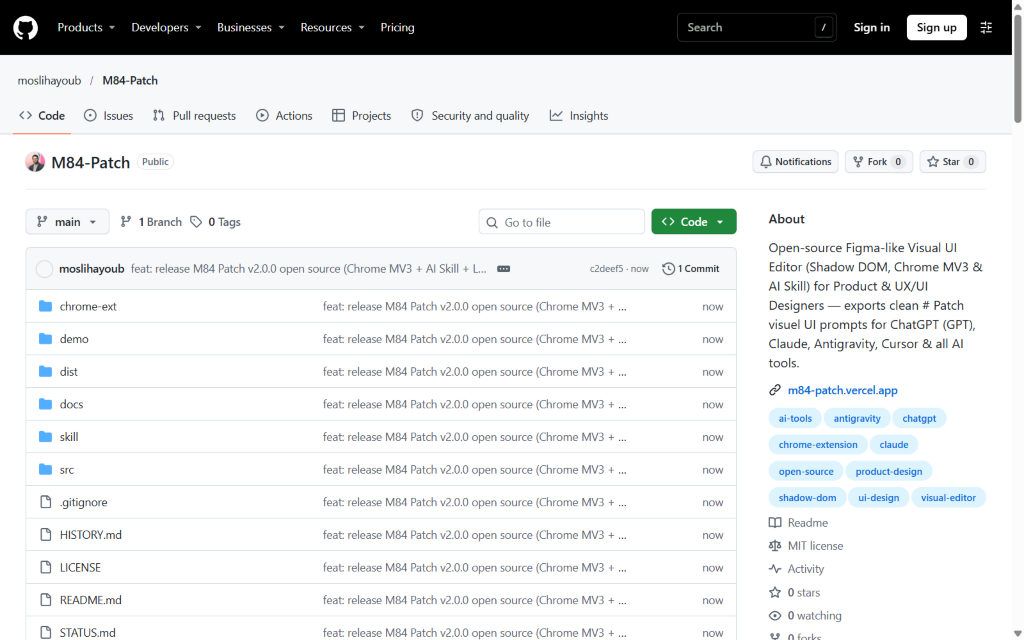
One modular codebase compiled into both a Chrome MV3 Extension and a standalone AI Skill.
Works on Chrome, Brave, Edge & Arc. Zero changes in your Git repos. Minimal permissions (activeTab + scripting).
m84-patch-chrome-extension.zipchrome://extensions (Chrome / Brave / Edge / Arc)Alt+Shift+M (or click the M84 icon) on any tabImport m84-patch-skill.zip in Claude.ai or drop it into your Antigravity / Cursor / Windsurf skills folder.
Follow these 4 visual steps to load M84 Patch into Chrome, Brave, Edge or Arc. Click any step to zoom.
Click Download Chrome Extension (.zip) above and extract the folder containing manifest.json.
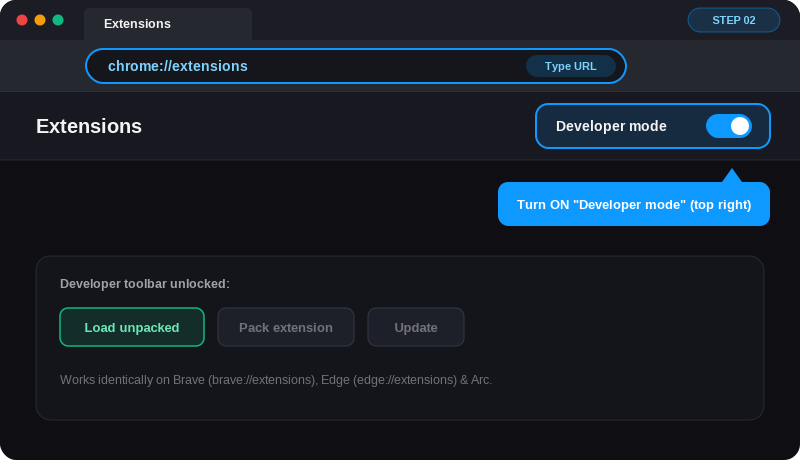
chrome://extensions & enable Developer modeType chrome://extensions in your address bar and toggle Developer mode ON at the top right.
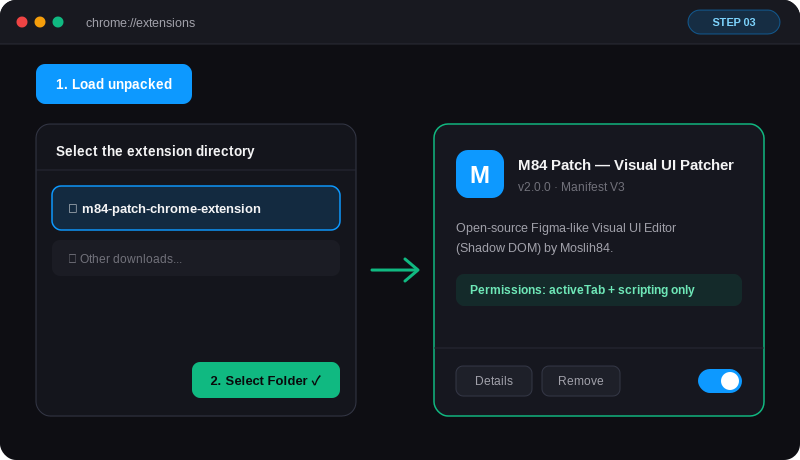
Select the extracted m84-patch-chrome-extension/ folder. M84 Patch v2.0.0 appears immediately enabled.
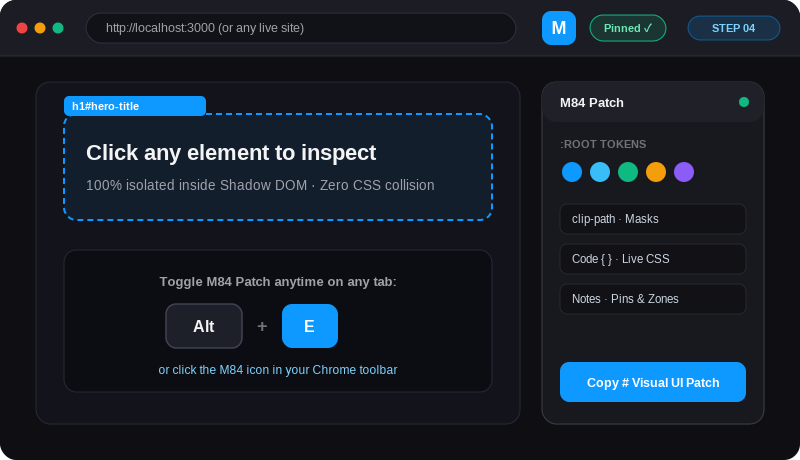
Alt+EPin M84 Patch in your toolbar and press Alt+E on any localhost or live webpage to start editing.